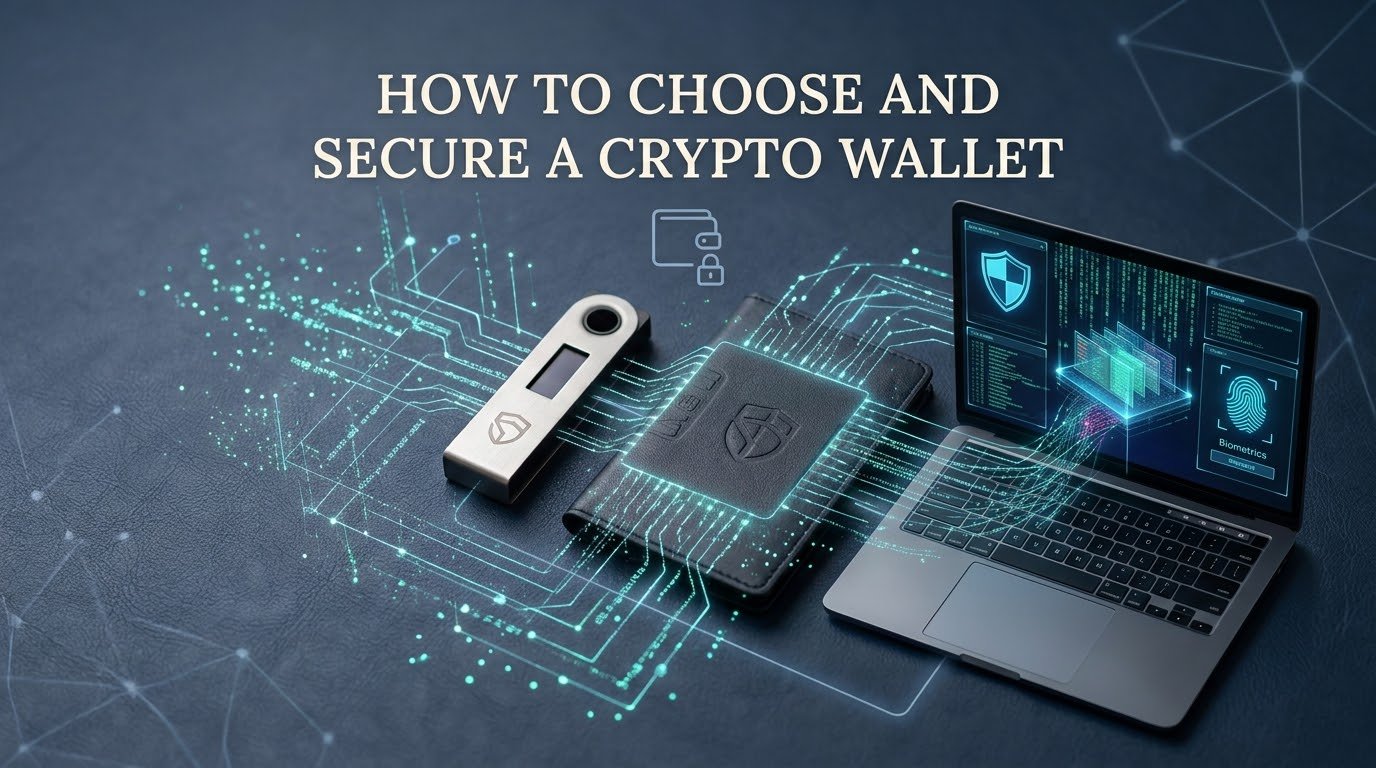
Choosing the right cryptocurrency wallet is one of the most important decisions you can make after entering the crypto world.
A wallet is not simply an app where your cryptocurrency is “stored.” It is a tool that allows you to manage the cryptographic keys that control your digital assets on a blockchain.
This means wallet security is extremely important.
If someone gets access to your private keys or recovery phrase, they may be able to control your cryptocurrency. On the other hand, if you lose your recovery information and cannot restore your wallet, you may permanently lose access to your assets.
For beginners, the large number of wallet options can be confusing. You may see:
- 📱 Mobile wallets
- 💻 Desktop wallets
- 🌐 Browser wallets
- 🧊 Hardware wallets
- 🏦 Exchange wallets
- 🔑 Multisignature wallets
- 🔥 Hot wallets
- ❄️ Cold wallets
Each type has advantages and disadvantages.
In this guide, we’ll explain how crypto wallets work, how to choose the right wallet, how to secure it, how to protect your recovery phrase, how to avoid scams, and how to safely use your wallet for everyday crypto activities.
📌 What Is a Crypto Wallet?
A cryptocurrency wallet is software or hardware that allows you to interact with blockchain networks.
Your cryptocurrency itself generally exists on the blockchain.
The wallet manages the keys that allow you to prove control over the relevant blockchain addresses and authorize transactions.
Depending on the wallet, you may be able to:
- 🪙 Send cryptocurrency
- 📥 Receive cryptocurrency
- 🔄 Swap assets
- 🌐 Connect to Web3 applications
- 🎨 Manage NFTs
- 💰 View balances
- 🏦 Interact with DeFi
- ✍️ Sign blockchain transactions
The wallet therefore acts as an interface between you and the blockchain.
🔑 What Are Private Keys?
A private key is secret cryptographic information used to authorize transactions.
Think of your wallet as having two different types of information.
📬 Public Information
Your public wallet address can generally be shared when someone needs to send you cryptocurrency.
🔐 Private Information
Your private key must remain secret.
If another person obtains the private key controlling your funds, they may be able to move those funds.
This is why private-key security is fundamental to cryptocurrency ownership.
📝 What Is a Recovery Phrase?
A recovery phrase is a sequence of words that can be used to restore a wallet.
Depending on the wallet, it may contain:
- 12 words
- 18 words
- 24 words
The recovery phrase is sometimes called a:
- Seed phrase
- Secret recovery phrase
- Backup phrase
- Mnemonic phrase
For many self-custody wallets, this phrase is extremely powerful.
If someone gets your recovery phrase, they may be able to restore your wallet on another device and access your assets.
🚨 NEVER SHARE YOUR RECOVERY PHRASE
Do not give it to:
❌ Wallet support
❌ Exchange employees
❌ Telegram administrators
❌ Discord moderators
❌ Online friends
❌ Investment managers
❌ “Recovery specialists”
❌ Websites asking you to verify your wallet
❌ Anyone promising to recover lost crypto
Your recovery phrase should be treated like extremely sensitive security information.
🔥 Hot Wallets Explained
A hot wallet is generally a wallet that operates on an internet-connected device.
Examples include:
- 📱 Mobile wallets
- 💻 Desktop wallets
- 🌐 Browser-extension wallets
Hot wallets are convenient because you can quickly access your cryptocurrency and interact with blockchain applications.
They are particularly useful for:
- Small transactions
- Trading
- DeFi
- NFTs
- Web3 applications
- Everyday crypto use
However, internet-connected wallets can be exposed to online threats.
These can include:
- Phishing
- Malware
- Fake websites
- Malicious browser extensions
- Fake applications
- Social engineering
🧊 Cold Wallets Explained
Cold storage generally refers to keeping the sensitive signing information of a wallet offline or isolated from internet-connected environments.
Hardware wallets are a common example.
A hardware wallet is a physical device designed to protect private keys and approve transactions.
Cold storage can be useful for people who want to keep cryptocurrency for longer periods without frequently interacting with Web3 applications.
Advantages
- 🔐 Reduced exposure to certain online threats
- 🧊 Designed for offline key protection
- 💰 Useful for long-term holdings
- 🛡️ Additional security layer
Disadvantages
- 💵 Usually costs money
- 🔧 Requires setup
- 📝 Backup management is still your responsibility
- ⚠️ Physical loss or damage must be considered
- 🔌 Less convenient for frequent transactions
⚖️ Hot Wallet vs Cold Wallet
| Feature | 🔥 Hot Wallet | 🧊 Cold Wallet |
|---|---|---|
| Internet Exposure | Higher | Generally lower |
| Convenience | Very high | Moderate |
| Daily Transactions | Excellent | Less convenient |
| Web3 | Easy | Supported depending on setup |
| Long-Term Storage | Possible | Often preferred |
| Cost | Often free | Usually requires hardware |
| Security Responsibility | High | Very high |
| Best Use | Smaller amounts & frequent activity | Long-term holdings |
There is no wallet that is automatically perfect for everyone.
Your choice should depend on how you use cryptocurrency.
🏦 What Is an Exchange Wallet?
When you buy cryptocurrency through an exchange, the crypto may initially be held in a wallet controlled by the exchange rather than by you directly.
This can be convenient.
You don’t have to immediately manage:
- Private keys
- Blockchain transactions
- Wallet backups
However, you’re also trusting the exchange to safeguard your assets and provide access to your account.
This creates a different type of risk.
Exchange Wallet
Convenience + third-party custody
Self-Custody Wallet
Control + personal responsibility
Neither approach should be treated as completely risk-free.
🔐 Custodial vs Non-Custodial Wallets
🏦 Custodial Wallet
A third party manages the private keys or custody infrastructure.
Examples can include cryptocurrency exchanges and custodial services.
Advantages
- Easy to use
- Password recovery may be available
- Convenient for trading
- Beginner-friendly
Disadvantages
- You rely on the provider
- Account restrictions are possible
- Platform security becomes important
- Withdrawal policies can vary
🔑 Non-Custodial Wallet
You control the private keys or recovery credentials.
Advantages
- Greater direct control
- No need to rely entirely on an exchange
- Can interact directly with Web3 applications
Disadvantages
- You are responsible for backups
- Lost recovery information can be devastating
- Phishing and malware become important concerns
- Transactions usually cannot be reversed
The common phrase is:
“Not your keys, not your coins.”
This phrase highlights the difference between direct self-custody and relying on a third party.
🎯 How to Choose the Right Crypto Wallet
There is no single “best crypto wallet.”
Instead, ask what you actually need.
1. 🪙 What Cryptocurrency Do You Own?
Not every wallet supports every blockchain.
Before choosing a wallet, verify that it supports the assets you want to use.
For example, a wallet may support:
- Bitcoin
- Ethereum
- Solana
- Various tokens
But support differs between wallets.
Never send an asset to a wallet or network without confirming compatibility.
2. 🌐 What Network Are You Using?
This is especially important for tokens that exist across multiple blockchain networks.
Before transferring funds, verify:
Asset + Network + Receiving wallet
All three need to be compatible.
A mistake here can result in funds becoming difficult or impossible to recover.
3. 📱 Do You Need Mobile Access?
If you frequently make small transactions, a mobile wallet may be convenient.
Mobile wallets are useful for:
- Payments
- Quick transfers
- QR-code transactions
- Web3 access
- Everyday use
However, your phone becomes part of your security model.
Protect it with:
- Screen lock
- Strong authentication
- Updated software
- Secure apps
4. 💻 Do You Need Desktop Access?
Desktop wallets can be useful for users who prefer managing cryptocurrency from a computer.
They may offer:
- Larger interfaces
- More detailed transaction information
- Desktop-based management
- Browser or application integrations
Your computer must remain secure.
Avoid suspicious software and browser extensions.
5. 🧊 Are You Holding Long Term?
If you plan to hold a significant amount of cryptocurrency for a long time and don’t need frequent access, cold storage may be worth considering.
Hardware wallets can provide an additional security layer.
But remember:
A hardware wallet does not magically protect you from every threat.
You still need to protect your recovery phrase and verify transactions.
6. 🌐 Do You Use DeFi?
If you plan to use decentralized finance applications, you may need a wallet capable of connecting to Web3 applications.
Before connecting:
- Verify the website
- Verify the network
- Understand the transaction
- Review permissions
- Avoid unknown applications
Don’t connect your primary long-term wallet to every new project you discover.
7. 🎨 Do You Use NFTs?
If NFTs are important to you, make sure the wallet supports the relevant blockchain and NFT standards.
You should also understand:
- Marketplace permissions
- Smart-contract approvals
- Network fees
- Collection authenticity
- Phishing risks
NFT scams are common because scammers can easily create convincing-looking collections and websites.
🔍 What Makes a Wallet Trustworthy?
When researching a wallet, examine several factors.
👨💻 Development
Is the wallet actively maintained?
🔐 Security History
Has it experienced major security incidents?
📖 Documentation
Does the provider clearly explain how the wallet works?
🌍 Reputation
Does it have a long-standing reputation among users and developers?
🔄 Updates
Does the software receive regular security and compatibility updates?
🧑💻 Open Source
If relevant, is the wallet’s code open source or independently audited?
Open-source software can provide additional transparency, but open source alone does not guarantee security.
🚨 Beware of Fake Wallet Apps
One of the biggest wallet risks is downloading a fake application.
Scammers can create apps that look almost identical to legitimate wallets.
They may use:
- Similar logos
- Similar names
- Fake reviews
- Fake websites
- Sponsored search results
- Social media advertisements
Always obtain wallet software through official sources.
Before downloading, verify:
☑️ Official website
☑️ Correct developer
☑️ Correct application
☑️ Authentic download page
☑️ Supported operating system
🎣 Phishing Attacks and Wallets
Phishing is one of the biggest threats to crypto users.
Imagine receiving this message:
🚨 “Your wallet has a security problem. Connect now to restore your funds.”
You click the link.
The website looks legitimate.
It asks you to connect your wallet.
Then it asks you to approve a suspicious transaction.
You click Confirm.
Your funds may be at risk.
The lesson is simple:
Never trust a link just because the website looks professional.
🌐 Check the URL Carefully
Before connecting a wallet, inspect the website address.
Look for:
- Incorrect spelling
- Extra characters
- Strange domain extensions
- Unusual subdomains
- Fake login pages
Instead of clicking links in random messages, consider navigating to the project’s official website yourself.
🛡️ Secure Your Wallet Device
Your wallet is only as secure as the environment you use it in.
Keep Software Updated
Install legitimate security updates.
Updates may fix known vulnerabilities.
Use Screen Locks
Your phone and computer should require authentication.
Avoid Unknown Software
Do not install suspicious:
- Crypto bots
- Wallet tools
- Browser extensions
- Cracked software
- APK files
- Trading applications
Secure Your Browser
Remove extensions you don’t recognize.
Only install wallet extensions from verified sources.
🔑 Protect Your Passwords
If your wallet or exchange account uses a password, make it strong and unique.
Avoid:
❌ Password123
❌ Your name
❌ Your birthday
❌ Reused passwords
Use a password manager where appropriate.
A unique password means that a breach on one website doesn’t automatically expose your other accounts.
📲 Use Two-Factor Authentication
For exchange accounts and other services that support it, enable two-factor authentication.
This adds an additional security layer.
For example:
Password + authentication code
is stronger than:
Password alone
Never share your authentication codes with anyone.
If someone asks you to send them a code, stop and investigate.
📝 How to Safely Back Up a Recovery Phrase
When setting up a self-custody wallet, you may be shown a recovery phrase.
Write it down carefully.
Check Every Word
A single incorrect word can prevent successful recovery.
Check the Order
The order of the words matters.
Keep It Private
Do not show it to anyone.
Protect the Backup
Consider protecting the physical backup from:
- Fire
- Water
- Theft
- Physical damage
Avoid taking screenshots of your recovery phrase.
Avoid storing it in ordinary cloud notes or email.
🚫 Things You Should Never Do With Your Seed Phrase
Never:
❌ Post it online
❌ Send it through WhatsApp
❌ Send it through Telegram
❌ Email it
❌ Save it in social media messages
❌ Upload it to random websites
❌ Give it to “support”
❌ Enter it into a website because someone sent you a link
❌ Store it in a public document
❌ Share a photo of it
Your recovery phrase should remain private.
🧊 Hardware Wallet Security
Hardware wallets can provide strong protection for long-term holdings, but proper setup matters.
When purchasing a hardware wallet:
📦 Buy From a Trusted Source
Avoid suspicious second-hand devices.
🔍 Check Packaging
Follow the manufacturer’s authenticity and initialization instructions.
🔐 Initialize It Yourself
Do not use a recovery phrase supplied by someone else.
A legitimate setup should generate or provide the recovery process according to the manufacturer’s official instructions.
📝 Create Your Own Backup
Never use someone else’s seed phrase.
If a device arrives with a pre-written recovery phrase, treat that as a major warning sign.
💰 Keep Small Amounts in Your Hot Wallet
One useful strategy is to avoid putting your entire cryptocurrency portfolio into the wallet you use for daily Web3 activities.
For example:
🔥 Hot Wallet
Small amount for:
- Trading
- DeFi
- NFTs
- Testing applications
🧊 Cold Storage
Long-term holdings that don’t need frequent access.
This creates a separation between everyday activity and long-term assets.
🔗 Be Careful With Smart Contracts
When interacting with decentralized applications, your wallet may ask you to approve transactions or token permissions.
Don’t automatically click:
Confirm
without understanding what you’re approving.
Check:
- Amount
- Asset
- Destination
- Network
- Contract
- Permissions
If the transaction doesn’t make sense, cancel it.
🪙 Token Approvals
Some applications require permission to spend tokens from your wallet.
For example, you may approve a decentralized exchange to use a specific token.
These approvals can create risk if:
- The contract is malicious
- The website is compromised
- The approval is unnecessarily broad
- You forget about old permissions
Review wallet permissions periodically.
Remove permissions that you no longer need where the relevant blockchain and wallet tools support this.
🚨 Random Tokens in Your Wallet
You might sometimes discover an unfamiliar token in your wallet.
Don’t assume it’s a gift.
It could be designed to attract you to a scam website.
You don’t necessarily need to interact with every asset that appears in your wallet.
Be especially cautious if a token tells you to:
- Claim rewards
- Visit a website
- Connect your wallet
- Enter your recovery phrase
- Approve a transaction
🐋 Protect Your Privacy
Blockchain transactions can often be publicly visible.
Depending on the network, people may be able to examine wallet activity.
Avoid publicly sharing:
- Large wallet balances
- Full wallet addresses unnecessarily
- Screenshots showing valuable holdings
- Information connecting your identity to specific assets
Good security includes both technical protection and privacy awareness.
📤 Always Verify Transactions
Before sending cryptocurrency, check:
🪙 Asset
Are you sending the correct cryptocurrency?
🌐 Network
Are you using the correct blockchain?
📬 Address
Is the receiving address correct?
💰 Amount
Did you enter the correct amount?
💸 Fee
Do you understand the transaction fee?
🔍 Destination
Are you sending it to the intended person or service?
Never rush.
🧪 Use a Test Transaction
When sending a significant amount to a new address, consider sending a small test amount first.
For example:
- Send a small amount.
- Confirm receipt.
- Verify the destination.
- Send the remaining amount.
This can help reduce mistakes involving addresses and networks.
🏦 Exchange Security
If you keep cryptocurrency on an exchange, protect the account carefully.
Enable available security features such as:
- Strong password
- Two-factor authentication
- Withdrawal protections
- Login alerts
- Anti-phishing features
- Device management
Also be careful with emails claiming to come from the exchange.
Don’t click suspicious links.
🚨 Fake Crypto Recovery Services
If someone claims:
“I can recover your stolen cryptocurrency.”
be extremely careful.
After a crypto theft, victims can become targets for a second scam.
Fraudsters may promise:
- Wallet recovery
- Blockchain tracing
- Guaranteed refunds
- Hacker identification
- Government connections
They may ask for an upfront payment or your wallet information.
Never provide your seed phrase to a person claiming they can recover your funds.
🧠 Build a Wallet Security Plan
Instead of thinking about security as one action, think in layers.
Layer 1: 🔐 Account Security
Strong passwords and authentication.
Layer 2: 💻 Device Security
Updated and protected devices.
Layer 3: 🧊 Wallet Security
Use an appropriate wallet type.
Layer 4: 📝 Backup Security
Protect your recovery phrase.
Layer 5: 🌐 Web3 Security
Verify websites and smart contracts.
Layer 6: 🧠 Human Security
Avoid scams, urgency, and social engineering.
The last layer is often overlooked.
A highly secure wallet can still be compromised if its owner willingly gives away the recovery phrase.
📋 Crypto Wallet Selection Checklist
Before choosing a wallet, ask:
☑️ Does it support my cryptocurrency?
☑️ Does it support my blockchain network?
☑️ Is the wallet actively maintained?
☑️ Is the official developer clearly identified?
☑️ Does it have a good security reputation?
☑️ Is the software obtained from an official source?
☑️ Does it support the features I need?
☑️ Am I using it for daily transactions or long-term storage?
☑️ Do I understand the recovery process?
☑️ Can I safely back up the recovery information?
🛡️ Crypto Wallet Security Checklist
After setting up your wallet:
☑️ Secure your recovery phrase.
☑️ Never share private keys.
☑️ Enable security features.
☑️ Keep your device updated.
☑️ Avoid suspicious websites.
☑️ Verify wallet applications.
☑️ Check transactions carefully.
☑️ Confirm the correct network.
☑️ Review token approvals.
☑️ Use separate wallets when appropriate.
☑️ Keep long-term holdings away from unnecessary Web3 activity.
☑️ Never trust unsolicited support messages.
❓ Frequently Asked Questions
What is the best crypto wallet for beginners?
There is no single best wallet for everyone. Beginners should choose a reputable wallet that supports their assets and matches how they intend to use cryptocurrency.
Is a mobile wallet safe?
A reputable mobile wallet can be safe when used correctly, but the security of the phone, application, recovery phrase, and user behavior all matter.
Are hardware wallets safer?
Hardware wallets can reduce exposure to certain online threats and are often considered for securing long-term holdings. However, they still require careful setup and backup management.
Should I keep all my crypto in one wallet?
Some users prefer separating long-term holdings from wallets used for trading and Web3 applications. This can reduce concentration of risk.
What happens if I lose my recovery phrase?
If you also lose access to your wallet, you may permanently lose access to your cryptocurrency.
Can someone steal crypto with my wallet address?
A public address alone generally does not provide control over your funds. Private keys or the relevant authorization credentials are needed to move assets.
Should I store my seed phrase on my phone?
It is generally safer to avoid storing a recovery phrase in screenshots, ordinary notes, email, or cloud storage because these accounts and devices can be compromised.
Can a wallet be hacked?
Wallet-related security incidents can occur through compromised devices, malicious applications, phishing, stolen recovery phrases, malicious smart contracts, and other attack methods.
What should I do if someone asks for my seed phrase?
Do not provide it. Treat the request as a major security warning.
Can crypto transactions be reversed?
Most blockchain transactions are designed to be irreversible once confirmed. Always verify the address, network, and amount before sending.
🏁 Final Thoughts
Choosing a cryptocurrency wallet is about finding the right balance between security, convenience, control, and your intended use.
For everyday transactions, a reputable hot wallet may be convenient.
For long-term holdings, many users consider cold storage or hardware wallets.
For exchange-based trading, strong account security is essential.
For DeFi and Web3, careful transaction and permission management becomes extremely important.
But regardless of the wallet you choose, one rule remains more important than almost everything else:
🔐 Never share your private key or recovery phrase.
Your wallet is only one part of your security system.
You also need to protect:
- Your devices
- Your passwords
- Your email
- Your accounts
- Your transaction approvals
- Your privacy
- Your physical backups
Take your time when setting up a wallet. Verify everything before sending cryptocurrency. Avoid unknown links and unsolicited support messages. Don’t connect valuable wallets to random applications.
Most importantly, remember that self-custody gives you control, but it also gives you responsibility.
⚠️ Important Crypto Disclaimer
This article is for educational and informational purposes only. It is not financial, investment, legal, or cybersecurity advice.
Cryptocurrency involves significant risks, including theft, loss of private keys, phishing, malware, smart-contract vulnerabilities, transaction mistakes, and market volatility.
Always conduct your own research before choosing a wallet or transferring cryptocurrency. Use official wallet documentation and security guidance when setting up or recovering a wallet.
Protect your keys. Protect your recovery phrase. Verify every transaction.